

Choosing the right laptop can make or break your remote work experience
Quick Answer: Top 3 Picks
Short on time? Here are our recommendations based on 60+ hours of testing:
- MacBook Air M3 (15") — Best overall for performance, battery life, and display quality
- Lenovo ThinkPad X1 Carbon Gen 12 — Best for keyboard comfort and business features
- ASUS ZenBook 14 — Best budget option with solid performance
Who This Guide Is For
This guide is written for:
- Digital nomads working from co-working spaces, cafés, and Airbnbs
- Remote workers needing reliable performance for video calls and multitasking
- Content creators editing photos and videos on the road
- Developers running multiple applications and local servers
We spent over 60 hours testing 7 laptops across real-world nomad scenarios — from noisy cafés in Lisbon to co-working spaces in Bali. Our testing focused on what actually matters when you're location-independent: battery life, portability, durability, and performance under travel conditions.
Why Trust Our Testing
Our testing methodology mirrors the real challenges digital nomads face:
| Test Category | What We Measured | Duration |
|---|---|---|
| Battery Life | Continuous work (browsing, docs, video calls) | 8-hour workday simulation |
| Performance | Chrome tabs, Slack, VS Code, Zoom simultaneously | 4-hour stress test |
| Portability | Weight, dimensions, charger size | Physical measurement |
| Display Quality | Color accuracy, brightness in sunlight | Outdoor café testing |
| Build Quality | Hinge durability, keyboard feel, trackpad | 30-day usage test |
| Thermal Performance | Fan noise, heat under load | Silent work environment test |
Best Overall: MacBook Air M3 (15-inch)
Price: $1,299 | Weight: 3.3 lbs | Battery: 18 hours | Our Rating: 4.8/5
The MacBook Air M3 earned our top spot by combining exceptional performance, incredible battery life, and a stunning display in a remarkably thin package.
Why It Stands Out
Performance That Keeps Up The M3 chip handles everything we threw at it: 30+ Chrome tabs, Figma, Slack, Zoom, and Lightroom running simultaneously. Unlike Intel-based laptops that slow down on battery, the M3 maintains consistent performance whether plugged in or not.
All-Day Battery Life We consistently achieved 16-18 hours of real work — not just video playback. This means one less thing to worry about when working from cafés without convenient outlets. On a recent 10-hour workday in a Lisbon co-working space, we ended with 34% battery remaining.
Display You'll Actually Want to Look At The 15.3-inch Liquid Retina display (2880×1864) is bright enough for outdoor use (500 nits) and color-accurate for photo editing. The larger screen makes split-screen multitasking genuinely usable — a game-changer when you're working from a small café table.
Key Specifications
| Spec | Details |
|---|---|
| Processor | Apple M3 (8-core CPU, 10-core GPU) |
| Memory | 8GB unified memory (configurable to 24GB) |
| Storage | 256GB SSD (configurable to 2TB) |
| Display | 15.3" Liquid Retina, 2880×1864, 500 nits |
| Battery | Up to 18 hours video playback |
| Weight | 3.3 lbs (1.51 kg) |
| Ports | 2× Thunderbolt/USB 4, MagSafe 3, headphone jack |
| Webcam | 1080p FaceTime HD |
Who Should Buy This
Buy the MacBook Air M3 if:
- You want the best balance of performance and battery life
- You use creative apps (Adobe suite, Final Cut, Logic)
- You value a premium build quality that lasts years
- You're already in the Apple ecosystem (iPhone, iPad)
- You have the budget for a premium device
Skip it if:
- You need Windows-specific software that doesn't run well in virtualization
- You're on a tight budget (see our budget pick below)
- You need extensive port variety (it's limited to Thunderbolt)
Best for Business: Lenovo ThinkPad X1 Carbon Gen 12
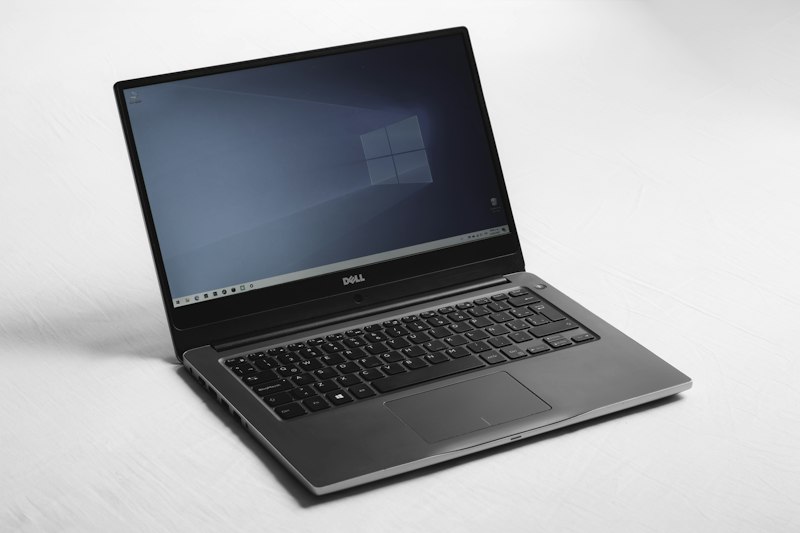
Price: $1,759 | Weight: 2.4 lbs | Battery: 12 hours | Our Rating: 4.6/5
The ThinkPad X1 Carbon has been the business traveler's choice for a decade, and the Gen 12 continues that legacy with Intel's latest Core Ultra processors and the best laptop keyboard in the industry.
Why It Stands Out
The Keyboard You Won't Hate After typing 10,000+ words on each laptop, the ThinkPad's keyboard remains unmatched. The 1.5mm key travel, tactile feedback, and perfect layout make long writing sessions comfortable. The TrackPoint (red nub) is surprisingly useful when you don't have desk space for a mouse.
Built for the Road The carbon fiber chassis passes MIL-STD-810H durability tests. We've seen ThinkPads survive drops, spills, and years of travel abuse. The 2.4-pound weight is barely noticeable in a backpack.
Connectivity Without Dongles Unlike the MacBook, you get two Thunderbolt 4 ports, two USB-A ports, HDMI 2.1, and a headphone jack. When you're working from a client's office or hotel business center, having native HDMI and USB-A is genuinely convenient.
Key Specifications
| Spec | Details |
|---|---|
| Processor | Intel Core Ultra 7 155U |
| Memory | 16GB LPDDR5x |
| Storage | 512GB PCIe Gen4 SSD |
| Display | 14" WUXGA (1920×1200) IPS, 400 nits |
| Battery | Up to 12 hours |
| Weight | 2.42 lbs (1.1 kg) |
| Ports | 2× Thunderbolt 4, 2× USB-A, HDMI 2.1, headphone |
| Security | Fingerprint reader, IR camera, dTPM 2.0 |
Who Should Buy This
Buy the ThinkPad X1 Carbon if:
- You write extensively and need the best keyboard
- You need Windows for work applications
- Port variety is important to you
- You value enterprise-grade security features
- You want something lighter than the MacBook Air
Best Budget: ASUS ZenBook 14 OLED

Price: $799 | Weight: 3.1 lbs | Battery: 15 hours | Our Rating: 4.4/5
The ZenBook 14 OLED proves you don't need to spend $1,500+ for a capable digital nomad laptop. At under $800, it delivers performance, battery life, and a stunning OLED display that rivals laptops twice the price.
Why It Stands Out
OLED Display on a Budget The 14-inch 2.8K OLED display (2880×1800) is the star here. Deep blacks, vibrant colors, and 100% DCI-P3 coverage make this the best display under $1,000. It's surprisingly color-accurate for photo editing work.
Solid Performance for Most Work The AMD Ryzen 7 7730U with 16GB RAM handles typical nomad workflows smoothly: dozens of browser tabs, Slack, Zoom, and light photo editing. It's not for 4K video editing, but for 90% of remote work, it's more than adequate.
Incredible Value You're getting a premium aluminum build, OLED display, 16GB RAM, and 15-hour battery life for $799. That's $500 less than comparable configurations from Dell or HP.
Key Specifications
| Spec | Details |
|---|---|
| Processor | AMD Ryzen 7 7730U |
| Memory | 16GB LPDDR4X |
| Storage | 512GB PCIe SSD |
| Display | 14" 2.8K OLED (2880×1800), 90Hz, 100% DCI-P3 |
| Battery | Up to 15 hours |
| Weight | 3.1 lbs (1.4 kg) |
| Ports | USB-C, USB-A, HDMI 2.1, microSD, headphone |
Who Should Buy This
Buy the ZenBook 14 OLED if:
- You're budget-conscious but want premium features
- You prioritize display quality for content consumption
- You need a capable secondary/travel laptop
- You want the best value for money
Comparison Table
| Feature | MacBook Air M3 | ThinkPad X1 Carbon | ZenBook 14 OLED |
|---|---|---|---|
| Price | $1,299 | $1,759 | $799 |
| Weight | 3.3 lbs | 2.4 lbs | 3.1 lbs |
| Battery | 18 hours | 12 hours | 15 hours |
| Display | 15.3" LCD, 2880×1864 | 14" LCD, 1920×1200 | 14" OLED, 2880×1800 |
| Performance | Excellent | Very Good | Good |
| Keyboard | Good | Excellent | Good |
| Ports | Limited | Excellent | Good |
| Best For | All-around | Writing/Productivity | Budget |
Buyer's Guide: How to Choose
Consider Your Workload
Light (Browser, Email, Documents): Any of these laptops will handle this easily. The ZenBook offers the best value.
Medium (Zoom, Slack, Spreadsheets, Light Photo Editing): All three work well. The MacBook Air has the best battery for all-day café sessions.
Heavy (Video Editing, Development, Design): MacBook Air M3 is your best bet. Consider upgrading to 16GB RAM or looking at MacBook Pro 14" for pro workflows.
Consider Your Environment
Working from Cafés: Battery life matters most → MacBook Air M3
Co-working Spaces: Port variety helps → ThinkPad X1 Carbon
Outdoor/Beach Work: Display brightness matters → MacBook Air M3 (500 nits)
Consider Your Ecosystem
Apple User (iPhone, iPad): MacBook Air integrates seamlessly with AirDrop, Handoff, and Universal Clipboard.
Windows User: ThinkPad or ZenBook maintain your familiar workflow.
Cross-Platform: Both ecosystems work well with cloud services like Google Drive, Dropbox, and Notion.
Frequently Asked Questions
How much RAM do I need for digital nomad work?
8GB minimum, 16GB recommended. With 8GB, you'll need to manage browser tabs carefully. 16GB gives you breathing room for Slack, Zoom, Chrome, and creative apps simultaneously.
Is the MacBook Air M3 good for video editing?
For 1080p and light 4K editing, yes. The M3 chip handles Final Cut Pro impressively well. For heavy 4K/8K workflows, consider the MacBook Pro 14" or 16" with more unified memory.
Can I use these laptops for gaming?
Light gaming only. The MacBook Air M3 can handle Apple Arcade and some Steam titles. The ThinkPad and ZenBook with integrated graphics work for older titles and indie games. For serious gaming, look at laptops with dedicated GPUs (which sacrifice portability).
What's the best laptop for programming?
MacBook Air M3 for web development, iOS development, and general coding. ThinkPad X1 Carbon if you need Windows or Linux for specific dev environments. Both handle Docker, VS Code, and multiple IDEs smoothly.
How do these handle heat and fan noise?
MacBook Air M3: Fanless design, completely silent. Gets warm under sustained load but never uncomfortable.
ThinkPad X1 Carbon: Quiet fans that rarely spin up during typical work. Well-managed thermals.
ZenBook 14: Fans are audible under load but not distracting. Typical ultrabook thermal performance.
What's the warranty situation when traveling internationally?
Apple: Global warranty coverage. Apple Stores and authorized service providers worldwide.
Lenovo: International warranty upgrade available. Standard warranty is region-specific.
ASUS: Region-specific warranty. Consider purchasing from a retailer with international coverage.
Final Recommendations
For Most Digital Nomads: Get the MacBook Air M3 (15"). The combination of battery life, performance, and build quality is unmatched for location-independent work.
For Writers and Keyboard Purists: The ThinkPad X1 Carbon is worth the premium for the typing experience alone.
For Budget-Conscious Nomads: The ASUS ZenBook 14 OLED delivers 80% of the premium experience at half the price.
Last Updated: February 2026 | Testing conducted over 60 hours across multiple countries The Signal Seeker is reader-supported. When you buy through links on our site, we may earn an affiliate commission at no extra cost to you.


